wir führen Simulationen mit unseren Programmen auch in Ihrem Auftrag aus. Bitte schauen Sie in unsere Preisliste, um die Kosten dafür zu erfahren.
作者: hk
-

海葬行为
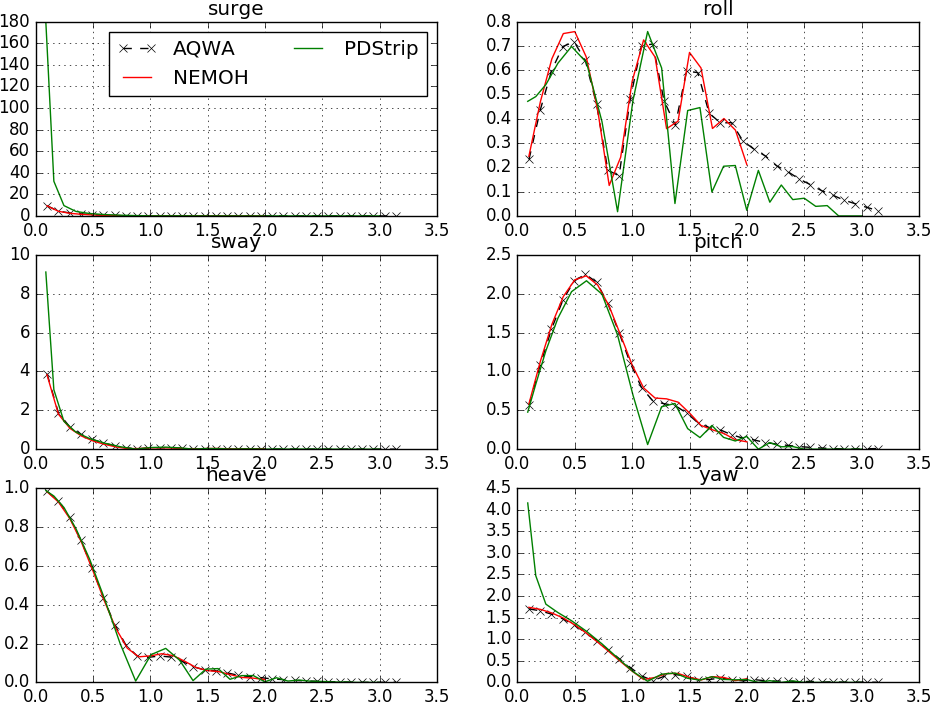
Die Analyse der Seegangsberechnung wird in der Regel mit Hilfe von Potentialcodes durchgeführt. Es beinhaltet die Berechnung von Response Amplitude Operatoren (RAOs) für alle Freiheitsgrade. Aus diesen RAOs werden Beschleunigungen, Geschwindigkeiten, Bewegungskrankheiten und weitere Kennwerte an verschiedenen Orten berechnet.
Die Simulationen werden mit den Open-Source-Tools PDstrip oder NEMOH durchgeführt. Die erforderliche Eingabe ist kompatibel mit der Eingabe für die Schiffswiderstandsanalyse.
-

螺旋桨设计
我们使用最先进的CFD方法对透平机械进行基础性能分析和设计。整个分析工作流程在InsightCAE框架中完全自动化,并且仅使用开源软件。这使得仿真成本非常低廉,缩短了处理时间,并易于集成到自动优化框架中。.
-

纤维复合材料螺旋桨叶片
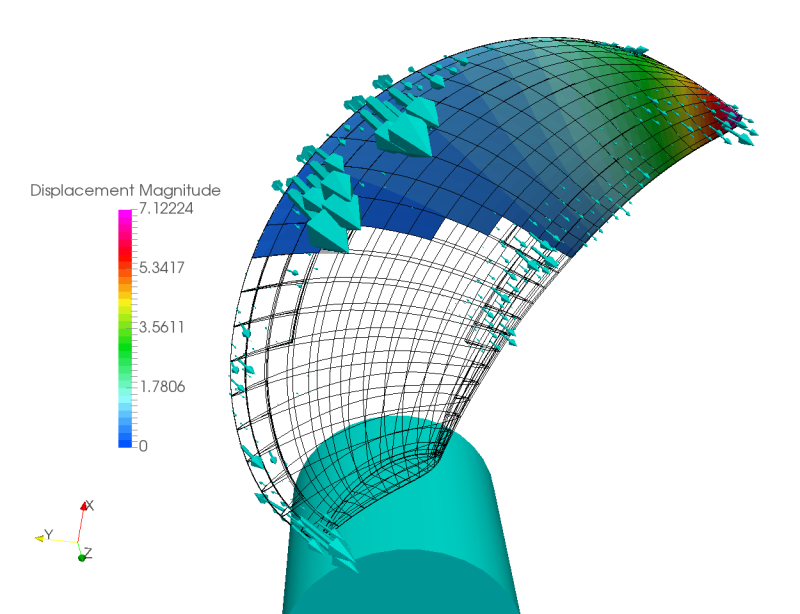
由纤维复合材料(例如碳纤维增强聚合物或玻璃纤维增强聚合物)制成的带叶片的螺旋桨具有柔性。在设计过程中,必须考虑叶片在工作载荷下的变形。我们开发了一个软件解决方案,使用 OpenFOAM 和 Code_Aster 执行必要的计算流体动力学 (CFD) 模拟,并耦合流体-结构。.
-

推进分析
在通过CFD或其他计算方法确定了螺旋桨的自由航行曲线后,需要进行进一步的分析,例如推进分析,以预测特定船舶的推进性能。我们开发了分析软件解决方案,可与设计流程无缝集成,并且完全基于开源软件。.
-

船舶阻力
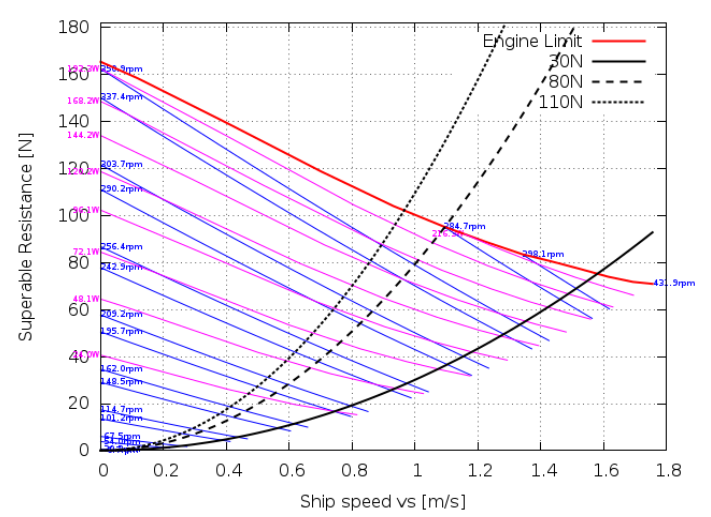
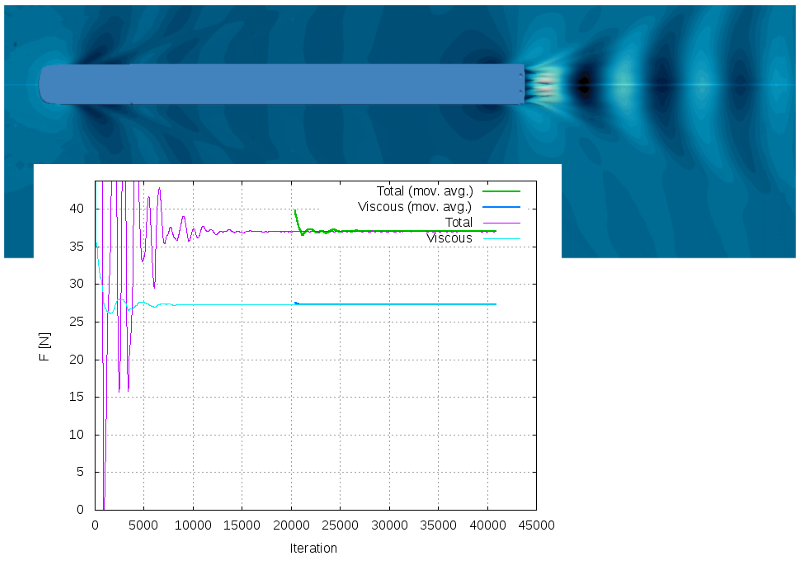
借助我们的 InsightCAE 框架,我们提供全自动化的船舶阻力计算,仅使用开源 CFD 软件。这不仅节省了软件许可证的成本,而且由于自动化,即使是专业知识较少的用户也能够进行相当复杂的 CFD 分析。
-

Exporting von STEP Dateien mit benannten Oberflächen aus PTC CREO
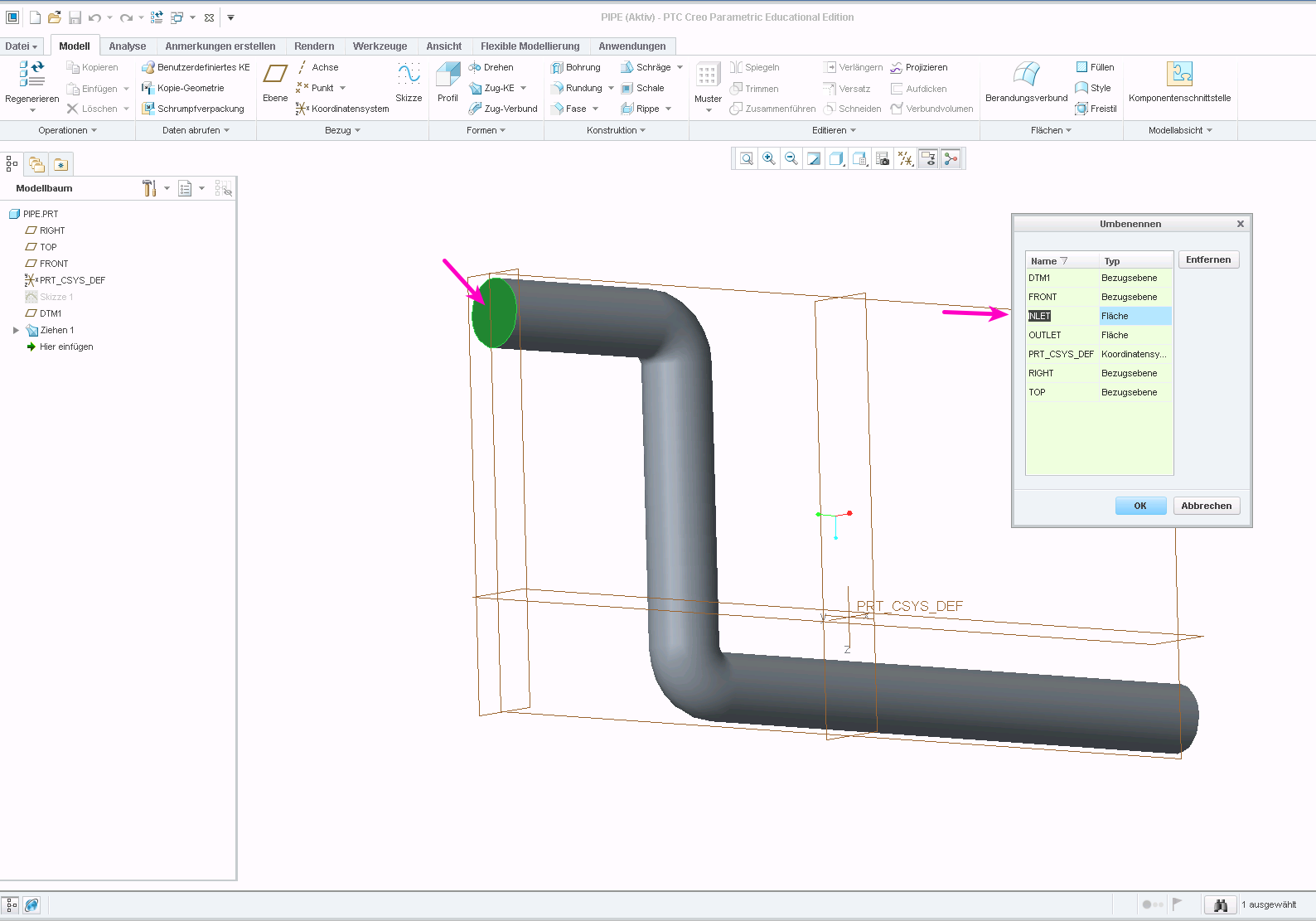
When preparing geometry for numerical simulations, it is often required to mark individual surfaces in the model. These surfaces can then be used e.g. as an inlet or forces and pressures can be applied in a structural simulation.
The STEP format supports named entities. The question is: how to set the names in the CAD program? And how to achieve that they are actually stored in the STEP file? In the following, these questions are answered for the software PTC Creo.
Assign Names to Surfaces
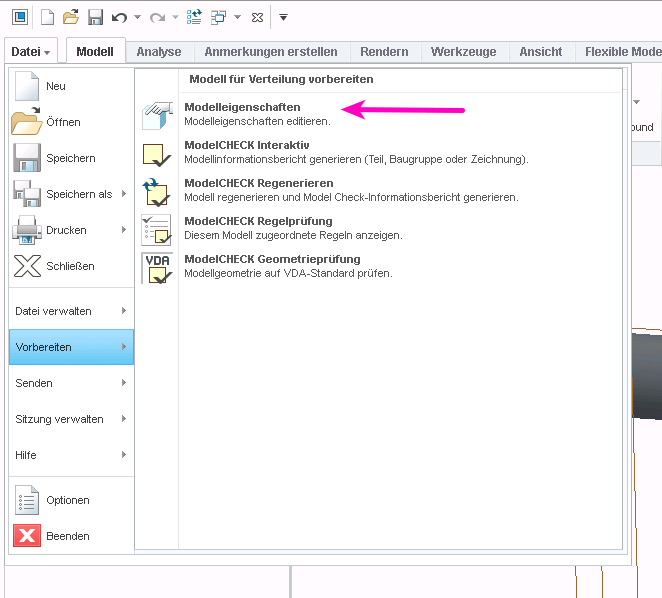
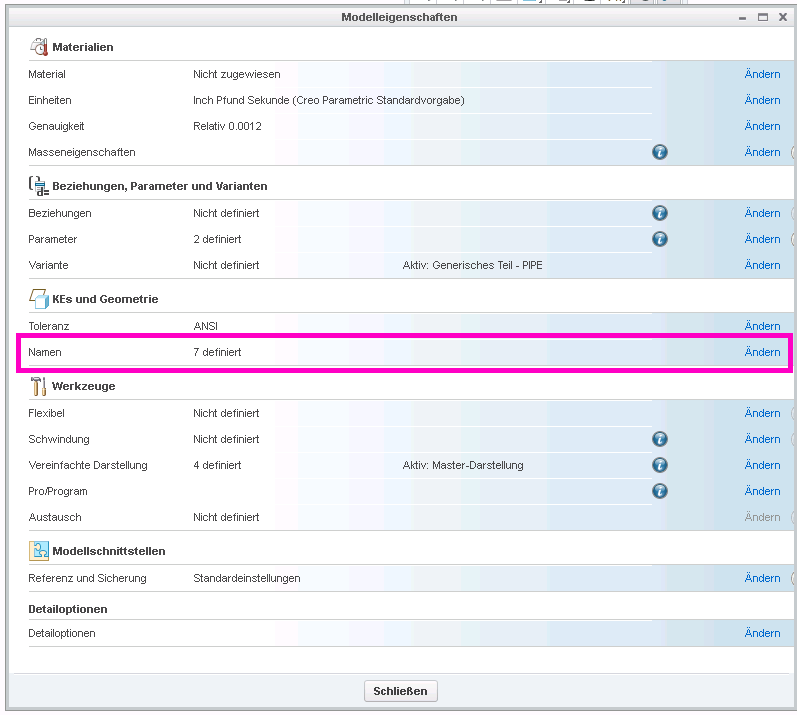
Select “File” > “Prepare” and then “Open Model Properties”, then select “Names” in the model properties dialog:


You can then select faces by clicking on them and enter a name in the dialog box:

Exporting Names in STEP File
If export a STP file with the default settings, the names will not be stored in the file. You need to change the export setup for them to be kept.
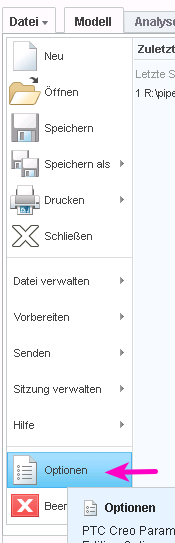
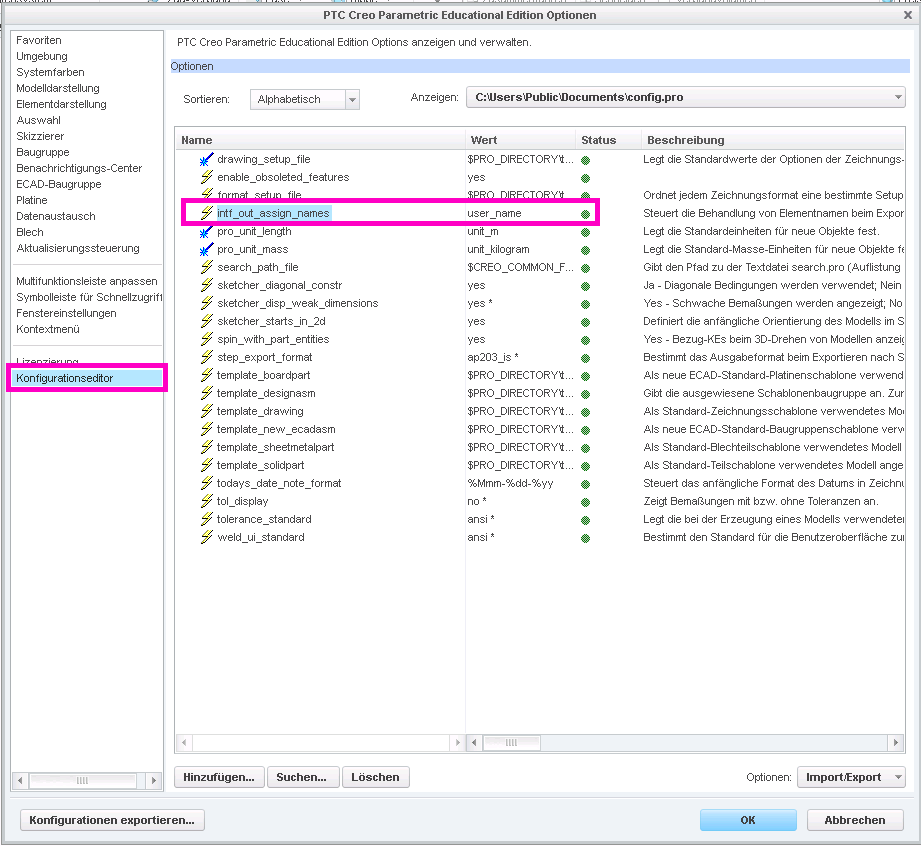
Open the settings dialog through “File” > “Options”. Then go to “Configuration Editor”. Here, you need to add the option “intf_out_assign_names” and set it to “user_name”.


Accessing the Named Entity in ISCAD
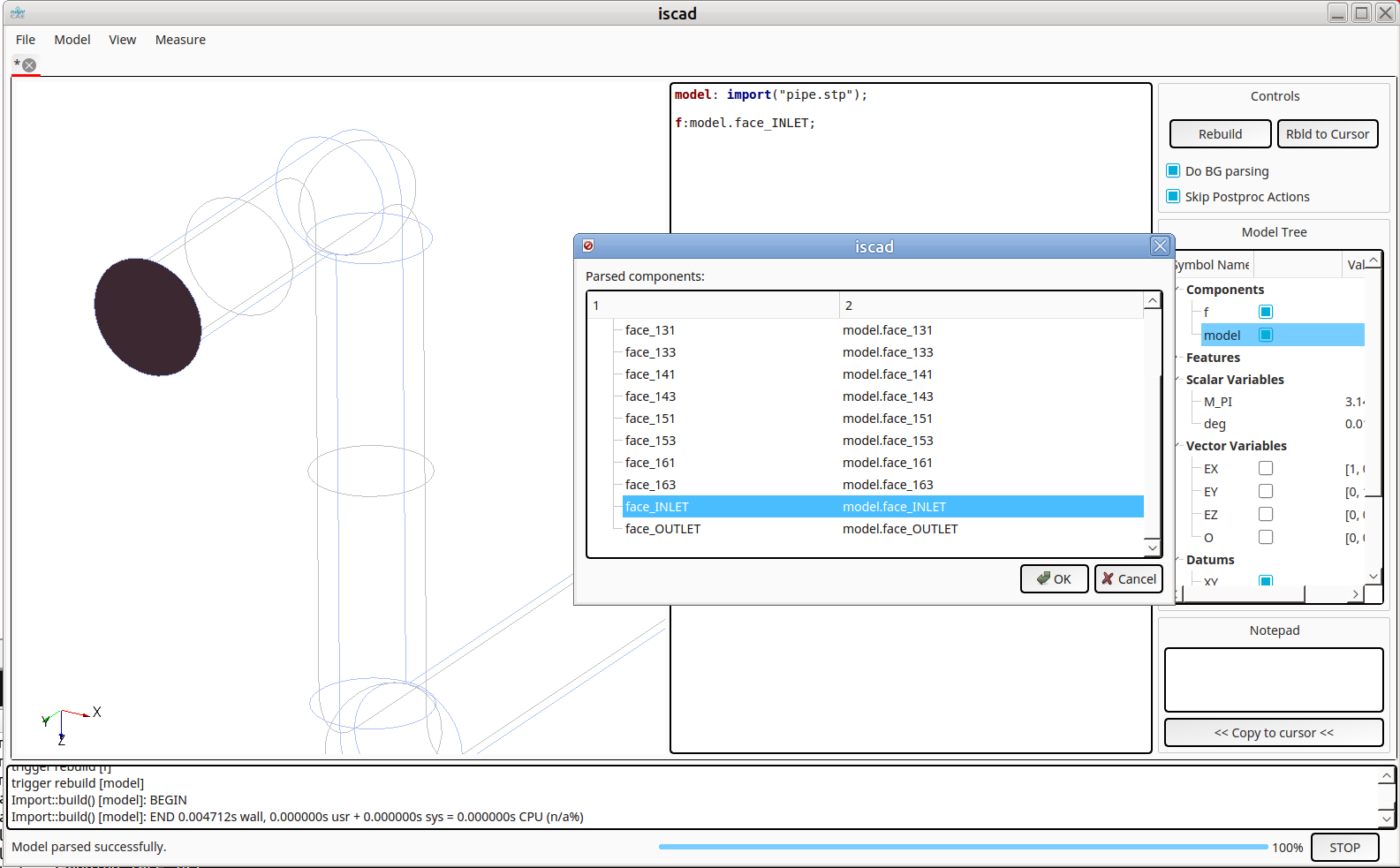
It is now possible to access the faces through the assigned names, e.g. in ISCAD. Once the STEP file is imported, its sub-entities can be explored by typing Ctrl-I (see below). The named faces appear as “face_<NAME>” int the hierarchy:

-
Vektoranalysis in der Bash Shell
When performing preparatory operations for e.g. CFD or FEM analyses, it is often necessary to specify vector parameters. Vector constants are easy to handle:
DIR="1 0 0" myMesh --direction "$DIR"
However, it quickly becomes complicated if the vectors have to be manipulated, e.g. multiplied by scalars or rotated.
A powerful solution is to use the Matlab Octave clone to perform the operations. Two features of octave are useful in this context:
- the command line option “–eval” to specify the expression to handle
- the function “disp” to output the results in plain format in a single line
An example:
DIR="1 0 0" VELOCITY=$(octave --eval "disp( 11.*[$DIR] )") myMesh --direction "$DIR" mySolver --velocity "$VELOCITY"
More complicated operation are possible. Though one needs to take care to produce line vectors as results. Rotation as an example:
DIR="1 0 0" ANG=45 DIR_ROT=$(octave --eval "pkg load linear-algebra; disp( (rotv([0 0 1], $ANG*pi/180)*[$DIR]')' )") myMesh --direction "$DIR_ROT"