Ejecutamos simulaciones con nuestros programas por encargo suyo. Por favor, consulte nuestra Lista de precios, para saber el costo de eso.
Autor: Hong Kong
-
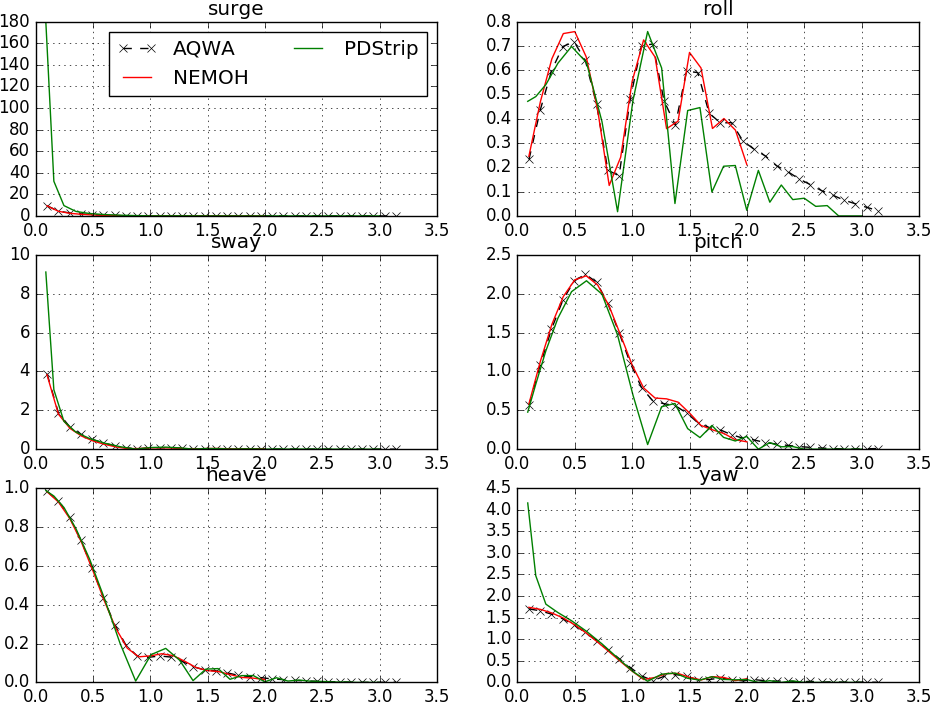
Comportamiento de fugas
El análisis de cálculo del estado del mar se realiza generalmente con la ayuda de códigos potenciales. Incluye el cálculo de operadores de amplitud de respuesta (RAOs) para todos los grados de libertad. A partir de estos RAOs se calculan aceleraciones, velocidades, mareos por movimiento y otros parámetros en diferentes ubicaciones.
Las simulaciones se realizan con las herramientas de código abierto PDstrip o NEMOH. La entrada requerida es compatible con la entrada para el análisis de resistencia de barcos.
-
Diseño de hélices
Realizamos análisis de rendimiento y diseño de máquinas rotativas con métodos CFD de última generación. El flujo de trabajo de análisis completo está completamente automatizado dentro del marco InsightCAE y utiliza exclusivamente software de código abierto. Esto permite simulaciones muy rentables, tiempos de procesamiento cortos y una fácil integración en marcos de optimización automáticos.
-
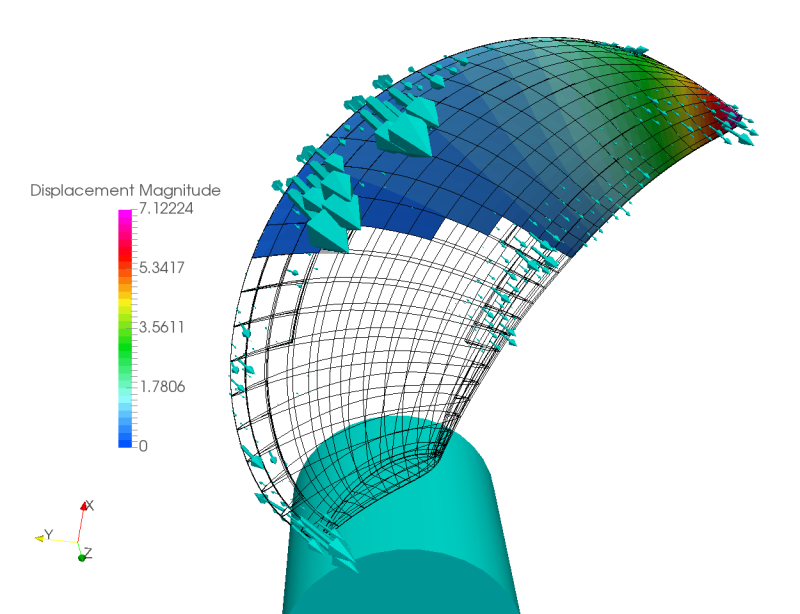
Aspas de hélice de material compuesto
Las hélices con álabes de materiales compuestos (por ejemplo, CFRP o GFRP) son flexibles. Al diseñar, se debe tener en cuenta la deformación de los álabes bajo carga operativa. Hemos desarrollado una solución de software para realizar las simulaciones CFD necesarias con acoplamiento fluido-estructura utilizando OpenFOAM y Code_Aster.
-
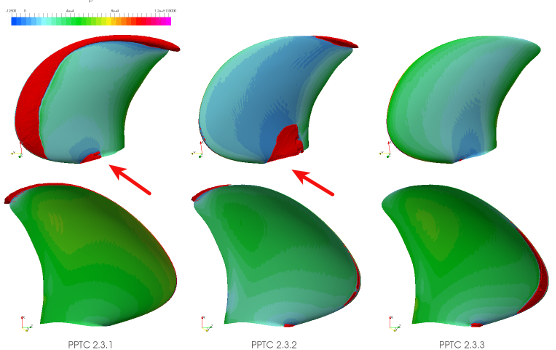
Cavitation
La cavitación es un fenómeno limitante para las turbomáquinas que operan en líquidos. Para predecir el inicio de la cavitación y sus efectos en el rendimiento de la máquina, la simulación CFD se utiliza como el método más fiable.
-
Análisis de propulsión
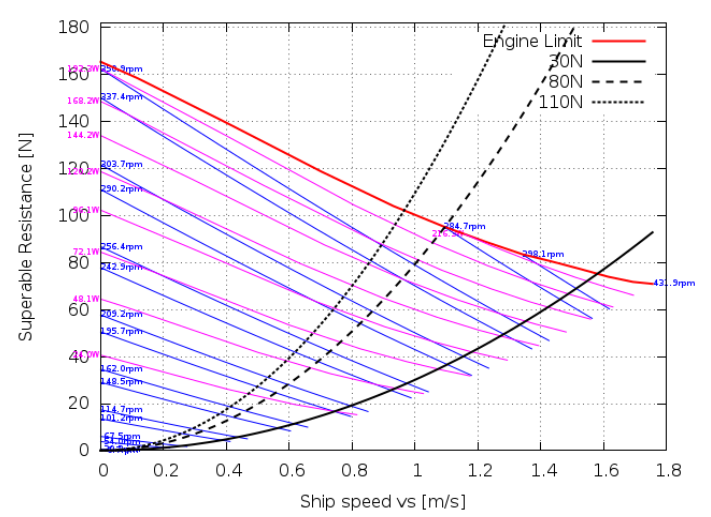
Después de determinar una curva de navegación libre de hélices mediante CFD o algún otro método de cálculo, se requiere un análisis adicional, por ejemplo, un análisis de propulsión, para predecir la potencia de propulsión para un barco determinado. Hemos desarrollado soluciones de software de análisis para una integración perfecta en el proceso de diseño, basándonos exclusivamente en software de código abierto.
-
Lanchas de planeo de alta velocidad
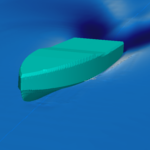
La simulación de lomos de deslizamiento de alta velocidad presenta desafíos en los métodos VOF. Esto se debe a que varios problemas numéricos surgen a altas velocidades. Hemos desarrollado soluciones para esto y somos capaces de entregar resultados confiables en poco tiempo y con bajo costo.
-
Resistencia del barco
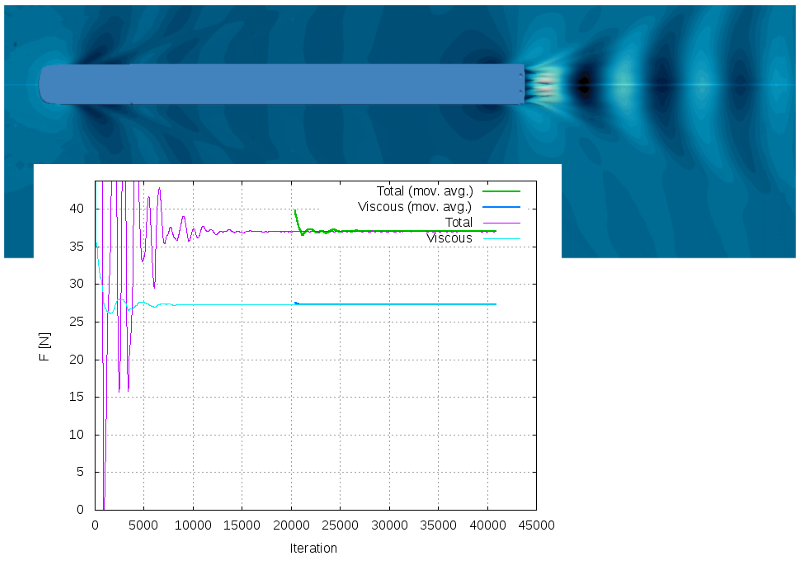
Con nuestro marco InsightCAE, ofrecemos un cálculo de resistencia de barcos totalmente automatizado utilizando únicamente software CFD de código abierto. Esto no solo elimina los costos de las licencias de software, sino que también permite a los usuarios con pocos conocimientos especializados realizar los análisis CFD, que son bastante complejos, gracias a la automatización.
-
Exportando archivos STEP desde PTC CREO con superficies nombradas
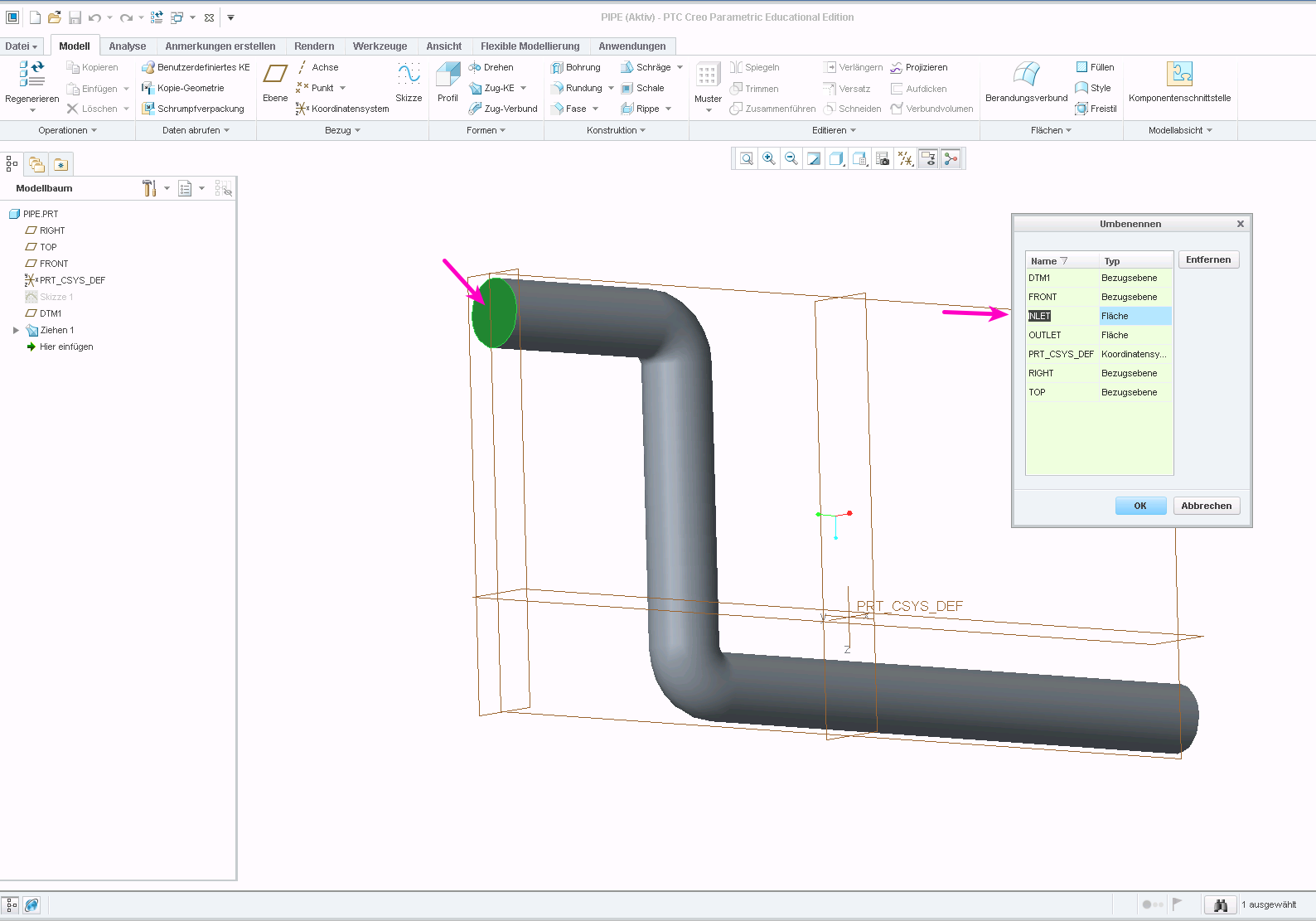
Al preparar la geometría para simulaciones numéricas, a menudo se requiere marcar superficies individuales en el modelo. Estas superficies se pueden utilizar, por ejemplo, como entrada o se pueden aplicar fuerzas y presiones en una simulación estructural.
El formato STEP admite entidades con nombre. La pregunta es: ¿cómo se definen los nombres en el programa CAD? Y ¿cómo se consigue que se almacenen realmente en el archivo STEP? A continuación, se responden estas preguntas para el software PTC Creo.
Asignar nombres a superficies
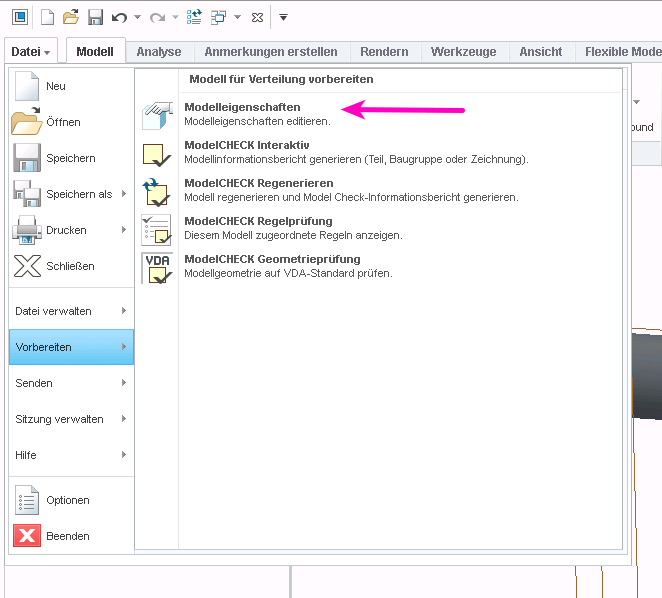
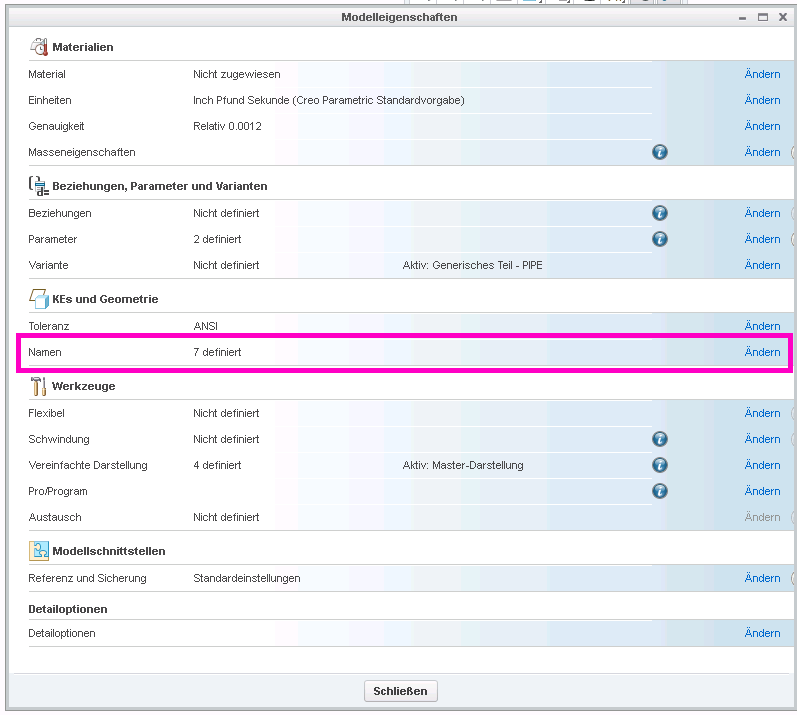
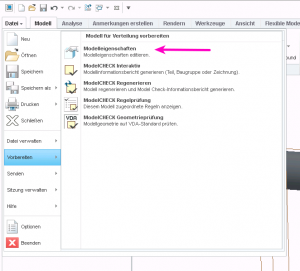
Seleccione “Archivo” > “Preparar” y luego “Abrir propiedades del modelo”, después seleccione “Nombres” en el cuadro de diálogo de propiedades del modelo:
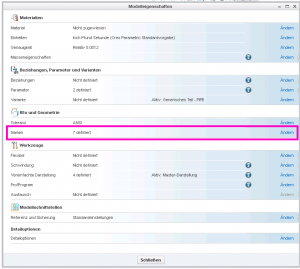
Luego puedes seleccionar caras haciendo clic en ellas e introducir un nombre en el cuadro de diálogo:
Exportar Nombres en Archivo STEP
Si exporta un archivo STP con la configuración predeterminada, los nombres no se almacenarán en el archivo. Debe cambiar la configuración de exportación para que se conserven.
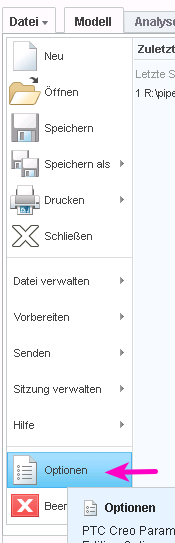
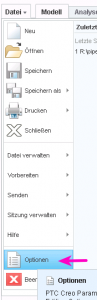
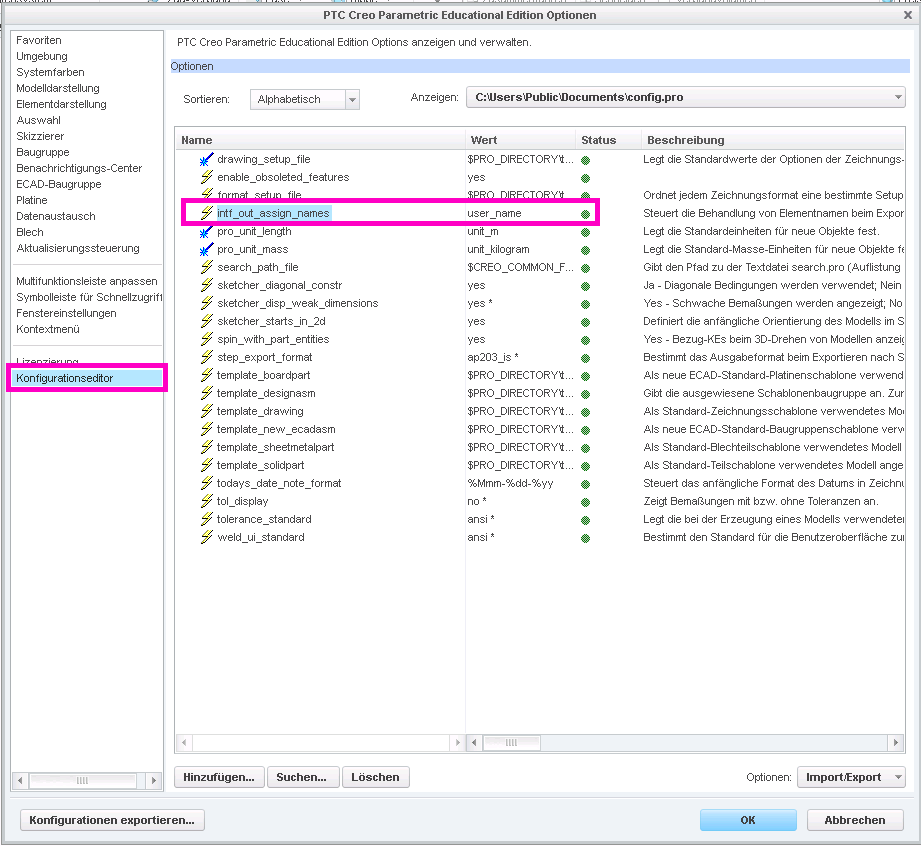
Abre el cuadro de diálogo de configuración a través de “Archivo” > “Opciones”. Luego ve a “Editor de configuración”. Aquí, necesitas agregar la opción “intf_out_assign_names” y establecerla en “user_name”.
Acceder a la Entidad Nombrada en ISCAD
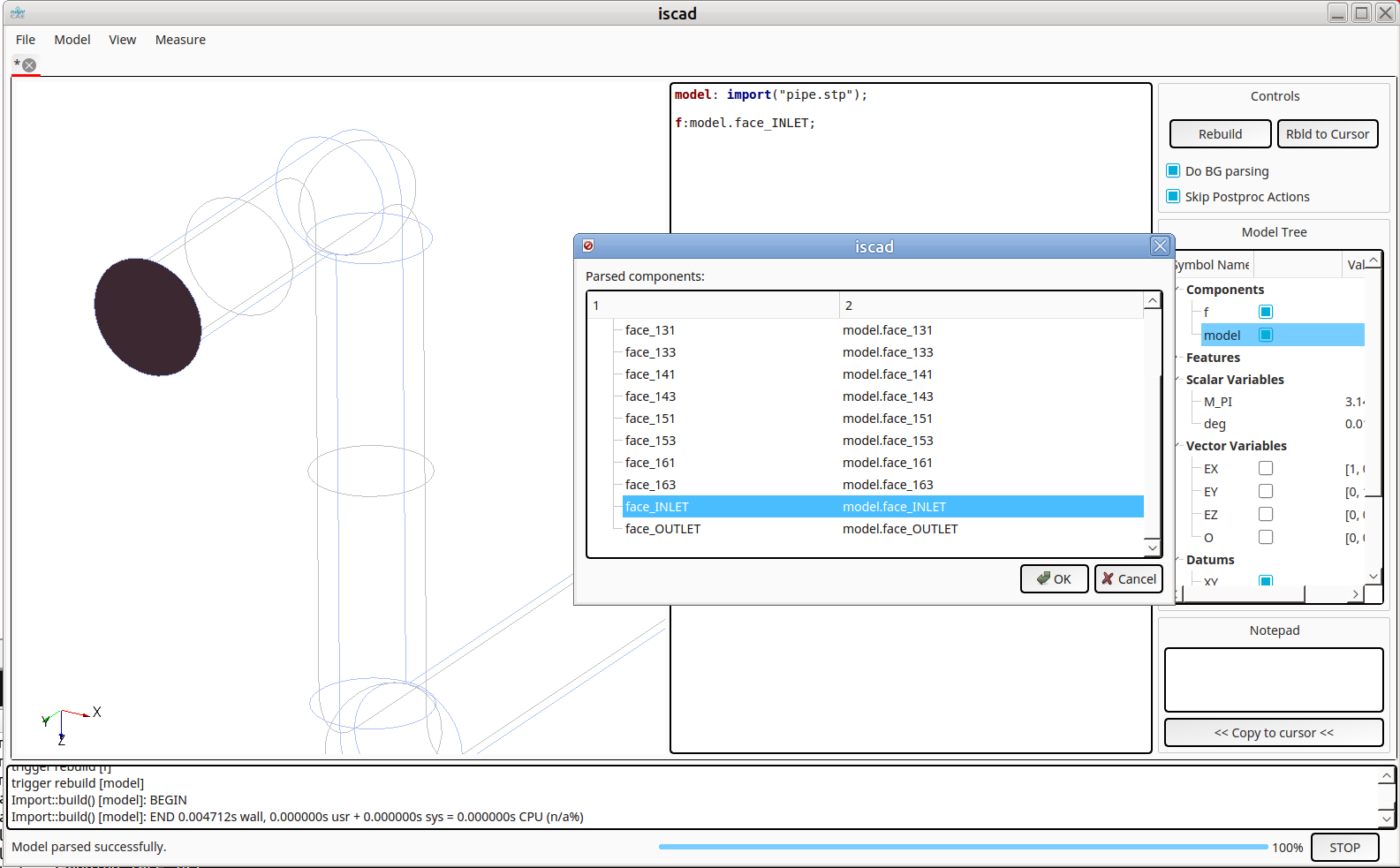
Ahora es posible acceder a las caras a través de los nombres asignados, por ejemplo en ISCAD. Una vez importado el archivo STEP, sus subentidades se pueden explorar escribiendo Ctrl-I (ver más abajo). Las caras con nombre aparecen como “cara_” en la jerarquía:
-
Análisis vectorial en el shell de Bash
Al realizar operaciones preparatorias para análisis cfD o efeem, a menudo es necesario especificar parámetros vectoriales. Las constantes vectoriales son fáciles de manejar:
myMesh --direction "$DIR"
Sin embargo, se vuelve rápidamente complicado si los vectores tienen que ser manipulados, por ejemplo, multiplicados por escalares o rotados.
Una solución potente es utilizar el clon de Matlab, Octave, para realizar las operaciones. Dos características de Octave son útiles en este contexto:
- la opción de línea de comandos “–eval” para especificar la expresión a manejar
- la función “disp” para mostrar los resultados en formato plano en una sola línea
Un ejemplo:
DIR="1 0 0"
VELOCITY=$(octave --eval "disp( 11.*[$DIR] )")

myMesh --direction "$DIR"
mySolver --velocity "$VELOCITY"
Son posibles operaciones más complicadas. Aunque hay que tener cuidado para producir vectores de línea como resultados. La rotación como ejemplo:
DIR="1 0 0"
ANG=45

DIR_ROT=$(octave --eval "pkg load linear-algebra; disp( (rotv([0 0 1],$ANG*pi/180)*[$DIR]')' )")

myMesh --direction " $DIR_ROT"